
JPEG vs. PNG: Which Format is Better for Shirt Printing?

Short answer: for shirt printing, PNG is usually better than JPEG: it is lossless, keeps sharp edges on text and logos, and supports a transparent background, which DTG and DTF printers need. Send it at the final print size and 300 ppi. JPEG is fine for photos with no transparency, but its lossy compression adds artifacts around edges. For screen printing, vinyl and embroidery, a vector file (AI, EPS, PDF or SVG) is best.
JPEG vs PNG at a glance
| JPEG / JPG | PNG | |
|---|---|---|
| Compression | Lossy (quality drops with each re-save) | Lossless |
| Transparency | No | Yes (alpha channel) |
| Best for | Photos on the web and social media | Logos, text, flat graphics, transparent artwork |
| File size | Small | Larger for photos, small for flat graphics |
| Shirt printing (DTG/DTF) | OK for full-bleed photos | Preferred, at 300 ppi and final size |
| Screen printing, vinyl, embroidery | Not ideal | Not ideal; use vector |
On this page
Today digital prints on the t-shirt are on trend. When talking about customized prints on a t-shirt, printers take photos from the customers. It helps customers have exactly what they want, and also, the owners can avoid trouble understanding what their customers want. But one of the most considerable confusion for printers is JPEG vs. PNG! So, which one should be better for shirt printing?
There is hot conflict on this topic. When it comes to printing, image quality matters most. Because when you provide a low-resolution image, it will be blurry after printing. Well, JPEG and PNG have different benefits and disadvantages. This article will guide you on which file format is better from different perspectives. If you are also struggling, stick to the last.
JPEG vs. PNG – Which image format is better?
All the files we see online are (either) vector or raster files. Generally, vector files come from geometric shapes; thus, they have no resolution issues. As opposed to raster files are come from pixels. Since JPEG and PNG are both raster files, we skip discussing details about vector files. Well, both JPEG and PNG share a common issue which is pixelation.
If they don’t get proper editing, these files may lose their quality such as can fade or get blurry. But they also have conveniences and cons on different grounds. So, the best way is to observe their advantages and disadvantages before judging which image format is better.
What Is JPEG/JPG?
Joint Photographic Expert Group provides a small-sized compressed image called JPEG or JPG. It is the most commonly used image format on the internet and electronic devices such as smartphones and digital cameras. If you notice, you will see that most of the images on social media are in Jpg format. The reason it went popular is that it provides good image fidelity.
Also, JPEG takes less space; thus, users can easily save images to their phone even with less space in their memory. Another noticeable advantage is jpg offers a pleasing tone and color. As for printing, jpg is used on the web, printing on paper, or archiving images.
Key Benefits Of JPEG
# Take less space on memory or drive.
# Supported in any media, editing tools, smartphones, and DSLR
# Supported almost everywhere: browsers, phones, cameras and every editing program. # Small files load fast on websites and social media.
When To Use JPEG/JPG?
- To use images for online or social media as they have a good color tone.
- To print photos: a high-quality JPEG (low compression) at the final print size and 300 ppi can work, but every re-save adds compression artifacts, so keep a master in TIFF, PSD or PNG.
- If you want to show your image to your client after editing, choosing a less space-taking file is better.
Is JPEG Best For Shirt Printing?
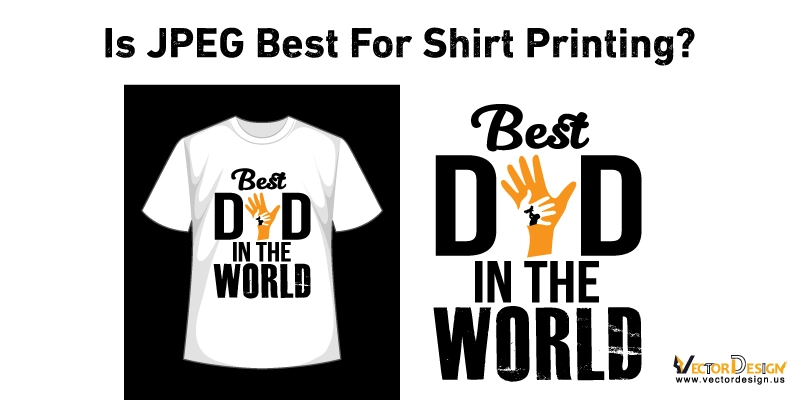
Many printing companies accept JPG files, but they are not ideal for shirts. JPEG has no transparency, so a white or colored box prints around the design unless the background is removed, and its lossy compression adds artifacts around text and edges. If you only have a JPG, clean it up and edit it to the final print size before printing.
It works because when a file is edited, it loses some data. And that is why at the same time, it loses resolution and quality. Here is a drawback if you don’t like the quality after editing, you can’t restore that raw file. Although jpg files offer a perfect color tone and quality, the resolution is crucial while printing shirts. Also, jpg is unsuitable for editing graphics, text images, and geometrical drawings that are important for shirt printing.
What Is PNG?
PNG (Portable Network Graphics) uses lossless compression: it keeps every pixel exactly, no matter how many times you save it. Files are larger than JPEGs for photos, but PNG is the better choice for logos, text, flat graphics and anything that needs a transparent background.
It has another key benefit which is transparency. The PNG format allows you to edit if you need to keep the background or any particular area transparent. It allows overlaying an image on another and also keeping the background.
Key Benefits Of PNG
# Keep high resolution and quality after editing.
# Work best with graphics, geometrical lines, and text images.
# Can create background and shadow effects.
# Allows transparent backgrounds.
When To Use PNG?
- When you have to work with transparency and you want to make the image more vibrant, PNG is the best option.
- If your image has color limitations, you can turn the PNG file’s disadvantage into your benefit.
- PNG goes very well with image overlay.
IS PNG Best Format For Shirt Printing?
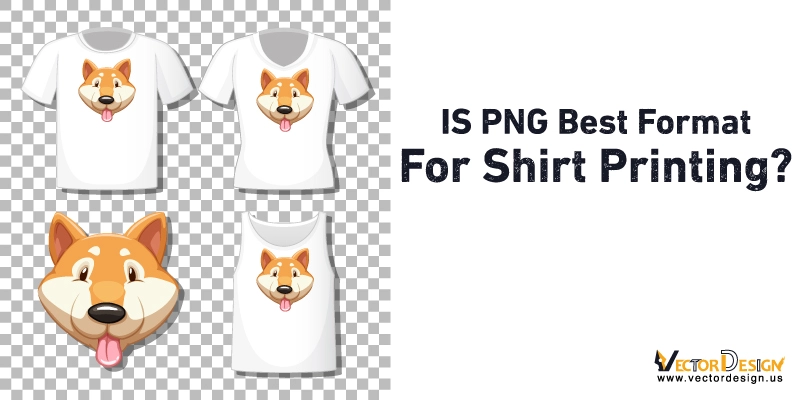
After an extended comparison, our final verdict is that though PNG files keep high resolution after editing, they are not best for professional use. Because in art printing, PNG won’t allow CMYK (cyan, magenta, yellow, key/black) color profiles. It is the only disadvantage of PNG files. Otherwise, they have a good color depth and quality. And also, PNG files are heavy and take more space, so some professionals prefer JPG to avoid these. Both file formats allow RGB (red, green, and blue) profiles.
“PNG is better due to its high color visibility most of the design software recommend exporting in PNG.
From what print shops tell us, PNG prints usually look cleaner than JPEGs on shirts, especially for logos, text and flat colors, because there are no compression artifacts and the background can be transparent. Send the PNG at the final print size and 300 ppi.
FAQs
Which file format is best for Tshirt printing?
Generally, There are two file formats out there, Raster and Vector. Vector files, including AI, EPS, SVG, PDF, and CDR, are best for T-shirt printing because they allow screen print and digital art that are eye catchy and well-fitted in apparel or t-shirt. Not that you can’t use raster files. Selecting or converting to a high-resolution file can use. It should not be faded on 100% view. The resolution should be 150 to 300 dpi.
Can you print PNG on shirt?
Yes, even transparent PNG is the most demanding file format for print among raster files. The only requirement is the file should have a high resolution between 150 to 300 dpi. Also, you have to convert the image to exactly the size you want to print. For example, if your print size is 12″ x 15″, you must convert the image to 12″ x 15″ before printing.
What is the best resolution for Tshirt printing?
300ppi is considered the minimum resolution for printing. Using a vector file means you don’t have to worry about the resolution. It’s a concern if you are using a raster file, for example JPEG, PNG, TIFF, etc. Generally, these measurements come from two approaches, dots per inch (DPI) and pixels per inch (PPI). If you choose a low-resolution image, it can lose its quality and get blurry after printing.
Final Verdict
In closing, it isn’t easy to find out Is JPG or PNG better for shirt printing. There are many opinions. Another thing is both JPEG and PNG are the most used formats on the internet. And both have advantages in different uses. It is easy to get confused between them.
If you want to stand out in this conflict, you have to stick to your purpose first. For example, you can use JPEG if you use the image for basic print, such as drawing elements. On the other hand, if your client prefers advanced printing, such as text images, shadow effects, or transparent backgrounds, it is better to select PNG. If these answers do not satisfy you, try both, compare the quality, and you will understand which suits your criteria.