
Logo Design Process From Start To Finish

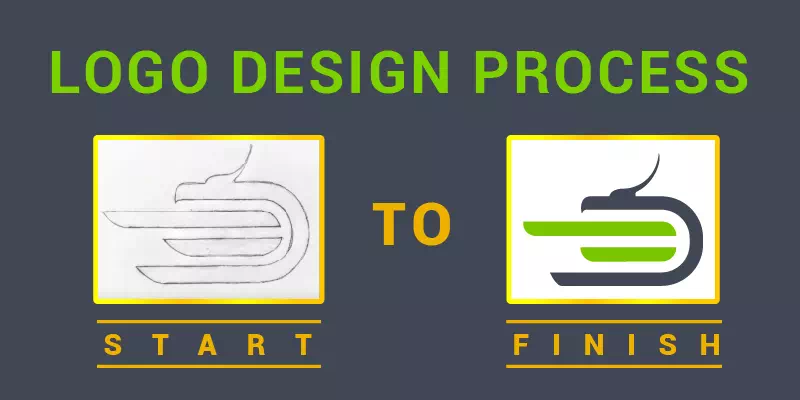
Short answer: a professional logo design process has six stages: (1) a brief that captures the business, audience and competitors, (2) research and mind-mapping, (3) pencil sketches of many ideas, (4) building the chosen sketch as clean vectors in Illustrator on a grid, (5) type and color, tested in one color and at small sizes, and (6) presenting it in real-world mockups and delivering a full file set (AI, EPS, PDF, SVG, PNG) with color codes.
On this page
The logo design process at a glance
| Stage | What happens | Output |
|---|---|---|
| 1. Brief | Business, audience, values, competitors, where the logo will appear | Written brief |
| 2. Research | Mind map, mood board, competitor review | Key themes and symbols |
| 3. Sketching | Many fast pencil ideas, then refine the best | 2 to 3 clean sketches |
| 4. Vector build | Scan the sketch, set guides and a grid, build shapes with the Pen tool, Shape Builder and Pathfinder | Clean vector logo |
| 5. Type and color | Font pairing, color palette, one-color and reversed versions, small-size test | Logo variations |
| 6. Present and deliver | Mockups on stationery, signage and screens; final files | AI, EPS, PDF, SVG, PNG and color codes |
Logo design from sketch is not an easy task. Though it sounds easy when we listen to experienced logo designers, it takes a lot of effort.
To give you a professional logo design process step by step, we have created tutorial content from the famous logo design artist, M. Achraf who has created a stunning logo from a sketch.
Let’s go through a full logo design project from start to finish or from scratch. You will see the author sketching and then he will show you how to make a grid system for your logo sketch and you can learn a complete guideline of the logo design process. Make sure to go through to the end of this article.
Logo Design Process
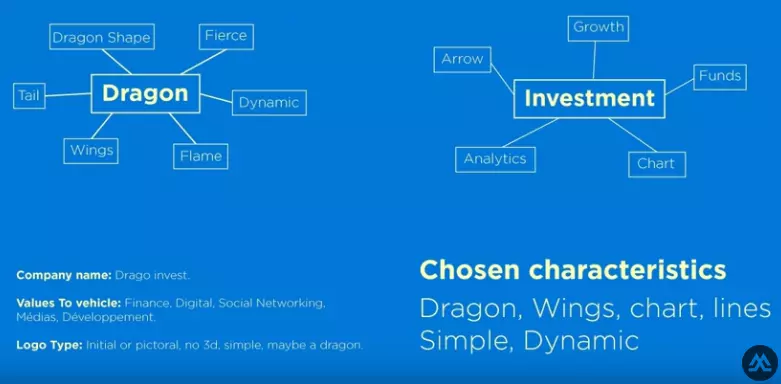
Ok, how he starts a logo design project will be clear to you here. Once he gets an order from a client, he tries to read his order details, understands his requirements carefully, and makes a map with his client’s asking. Try to remember the aspects that can be with the logo design idea.
See the images below. The designer is going to create a logo featured with a dragon and that’s why he has kept the dragon in the center and found out the features of a dragon. With the logo mapping in the mind, he creates another mapping associated with the logo.
He meditates on the company details and requirements. Finally, he picks up some features from the mapping. Now He will try to create a sketch based on the chosen characteristics. He wants to make a simple and dynamic logotype.
Sketching Phase Start:
Now he will sketch out the logo with a pencil on white paper. Whatever comes to his mind based on the chosen characteristics, he creates on the paper. It is just a rough sketch. You need not be a perfectionist here. Just keep creating several sketches.
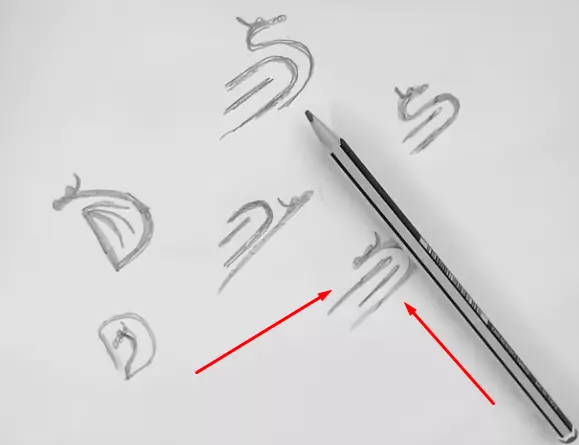
See, he has created several sketches and will go with the red arrow directed sketch. He will create a final clean and bigger sketch maintaining a minimum measurement.
Ok, this is the final and clean sketch based on his chosen characteristics.
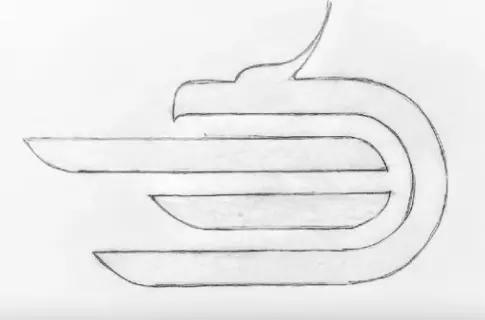
He has taken a snapshot and imported it into Adobe Illustrator. Now he will start to grid it with Guide in Illustrator.
How to convert a sketch into a logo
- First of all, he gets the Ruler. Press Ctrl+ R.
- Drag horizontal Guide on the line of our sketch. You can change the color of the guide. Go to Edit, click on the Preferences, and Guides & Grids. Click on the Color and change to make visible the guide clearly.
- Take multiple guides and place those on every horizontal line.
- To ensure an equal distance between each horizontal row, create a rectangular and fill it with color.
- Lock the guides from the right-click. Now the grid is ready.
- Create a horizontal bigger rectangular, duplicate the rectangular, and place them in the right position.
- Create curves using Circle, Shape Builder tool, and Path Finder tool.
- To create the horn of the dragon in this sketch, he uses a stroke with the circle.
- Add logo text and use a matching font.
- Use bold and thin fonts for the logo name.
- Place the text in the right alignment.
- Make multiple versions of the same logo changing fonts and colors, and choose one.
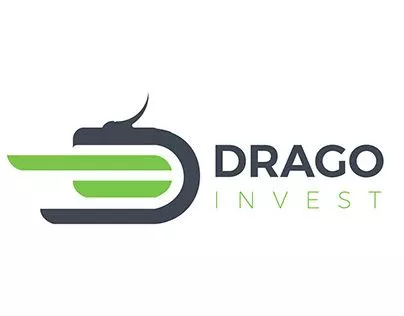
- Finally, he has selected the best logo from his versions. See the below one.
He does then a little presentation and adds the logo on the different stationery items or corporate identities to give the client a feel.
What makes a custom logo work
- Distinctive: it should not look like a competitor’s mark or a stock template. Search your industry before you finalize.
- Simple: it should still read at favicon size and when embroidered or engraved.
- Relevant: shapes, type and color should fit the audience. Color choices carry associations (for example blue for trust, green for nature), but context matters more than rules.
- Versatile: plan horizontal, stacked and icon-only versions, plus one-color and reversed (white) variants.
- Owned: get the vector source files and make sure fonts and any stock elements are licensed for logo use.
Read more about types of logos. If you need a logo designed or an existing one rebuilt, see our logo design service, or vector logo conversion for an old JPG or PNG logo.
Frequently asked questions
How long does the logo design process take?
A simple logo can take a few days; a full brand mark with research, several concepts and revisions usually takes one to three weeks, depending on feedback rounds.
Should a logo be designed in Photoshop or Illustrator?
Illustrator (or another vector editor). A logo must scale from a favicon to a sign, so it should be built as vector paths, not pixels.
What files should I get at the end?
Vector masters (AI, EPS, PDF, SVG) and PNG exports, in full color, one color and reversed, plus the exact CMYK, RGB, HEX and Pantone values.
Sum Up
However, you have surely got the idea about a complete logo design process from the author. We have just described how the designer has created this logo from a sketch.
Now it is your turn. Draw a sketch and design a logo maintaining the process that we have shown here. Hope that this tutorial will help you the most.
If you are trying to create a logo for your company, don’t try to design a logo DIY. It will take a long time and even you cannot get the best logo for your business. Rather, send us your logo design proposal. We will design your business logo professionally for the best logo design prices. Contact us.